![adcredo-knowledge-base-1.png]](https://support.adcredo.com/hs-fs/hubfs/adcredo-knowledge-base-1.png?width=300&height=72&name=adcredo-knowledge-base-1.png)
To create a new Brand:
- Navigate to the Brands section in the left main menu.
- Click Create Brand in the top right corner.
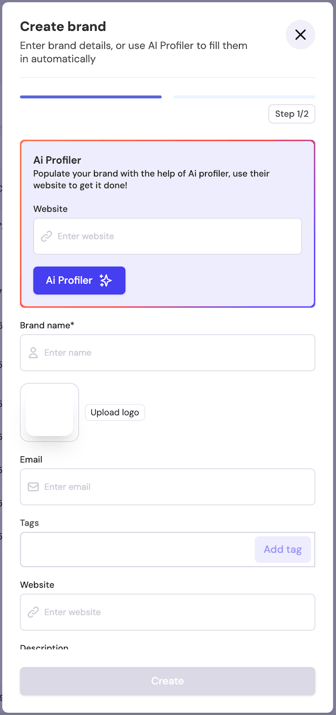
- Step 1 of the creation process will open in a popup where you enter your Brand details.
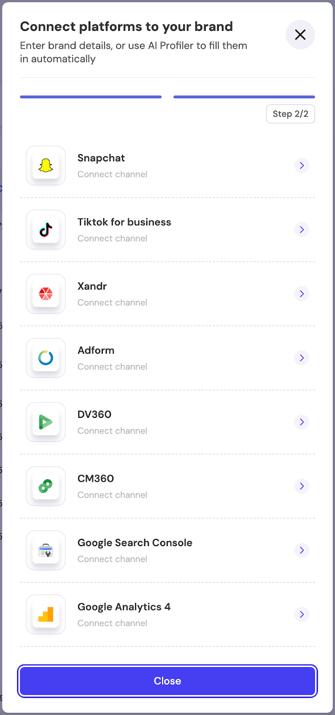
- Step 2 – Connect platforms to your Brand.
- You can complete both steps directly or choose to skip Step 2 and connect platforms later from the Brand settings.