![adcredo-knowledge-base-1.png]](https://support.adcredo.com/hs-fs/hubfs/adcredo-knowledge-base-1.png?width=300&height=72&name=adcredo-knowledge-base-1.png)
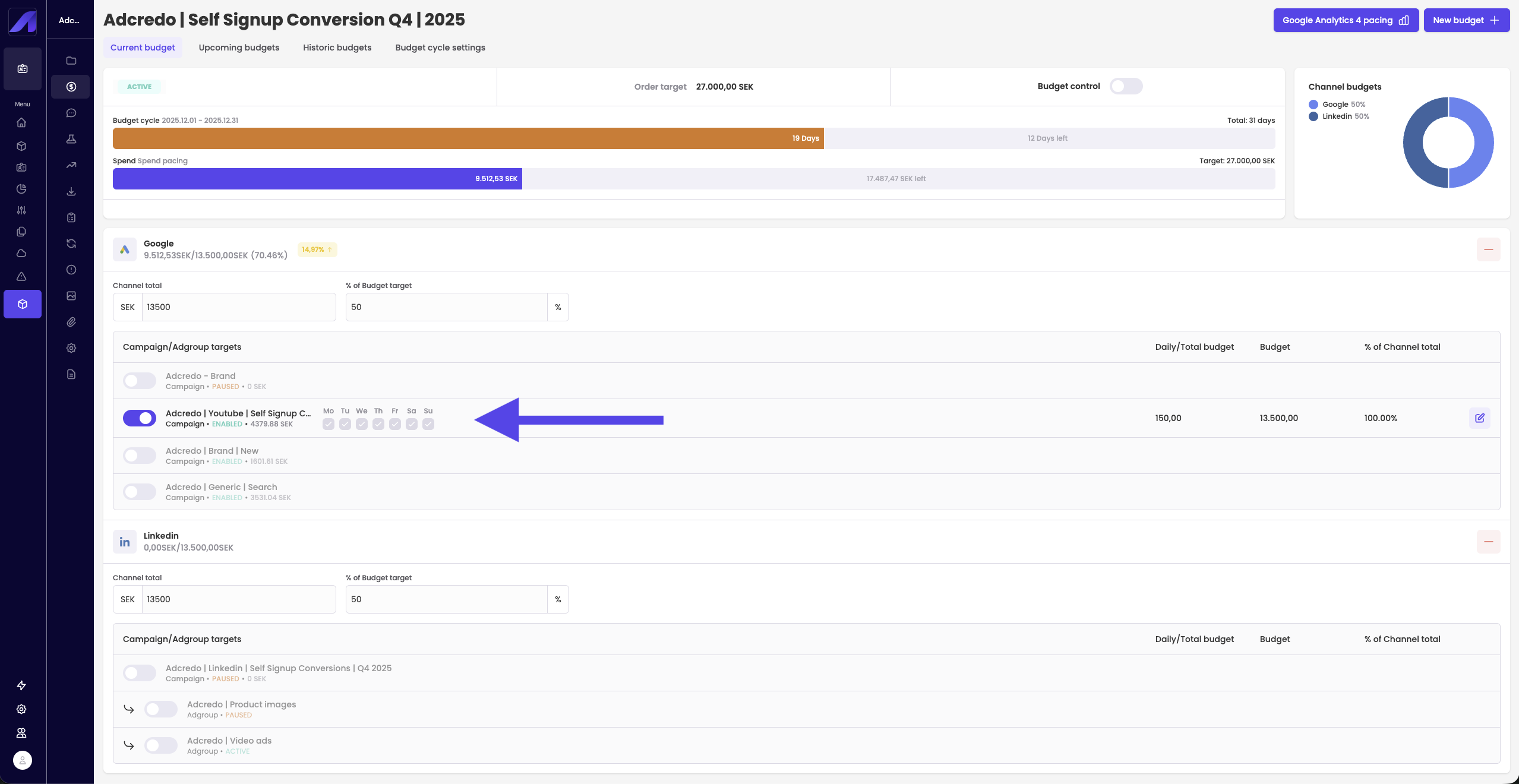
In the lower part of Budget management each channel has its own section.
There you can:
- See the channel-level budget.
- Expand the channel to see the campaigns (and sometimes ad groups) included.
- Use toggles to include or exclude specific campaigns from budget control.
- Turning on a toggle will also activate the campaign if it was not already active.
- Turning on a toggle will also activate the campaign if it was not already active.
- In many cases, edit budgets at campaign or ad group level by clicking Edit.
Important: When Spend rest is active, you cannot manually change the daily/total budgets for campaigns:
- The system automatically adjusts these budgets to match the Spend rest logic.
- This is expected behaviour and prevents manual overrides that would break pacing.
If you want to edit budgets anyway, create a New budget with Spend pacing that overrides the Spend rest mode.