![adcredo-knowledge-base-1.png]](https://support.adcredo.com/hs-fs/hubfs/adcredo-knowledge-base-1.png?width=300&height=72&name=adcredo-knowledge-base-1.png)
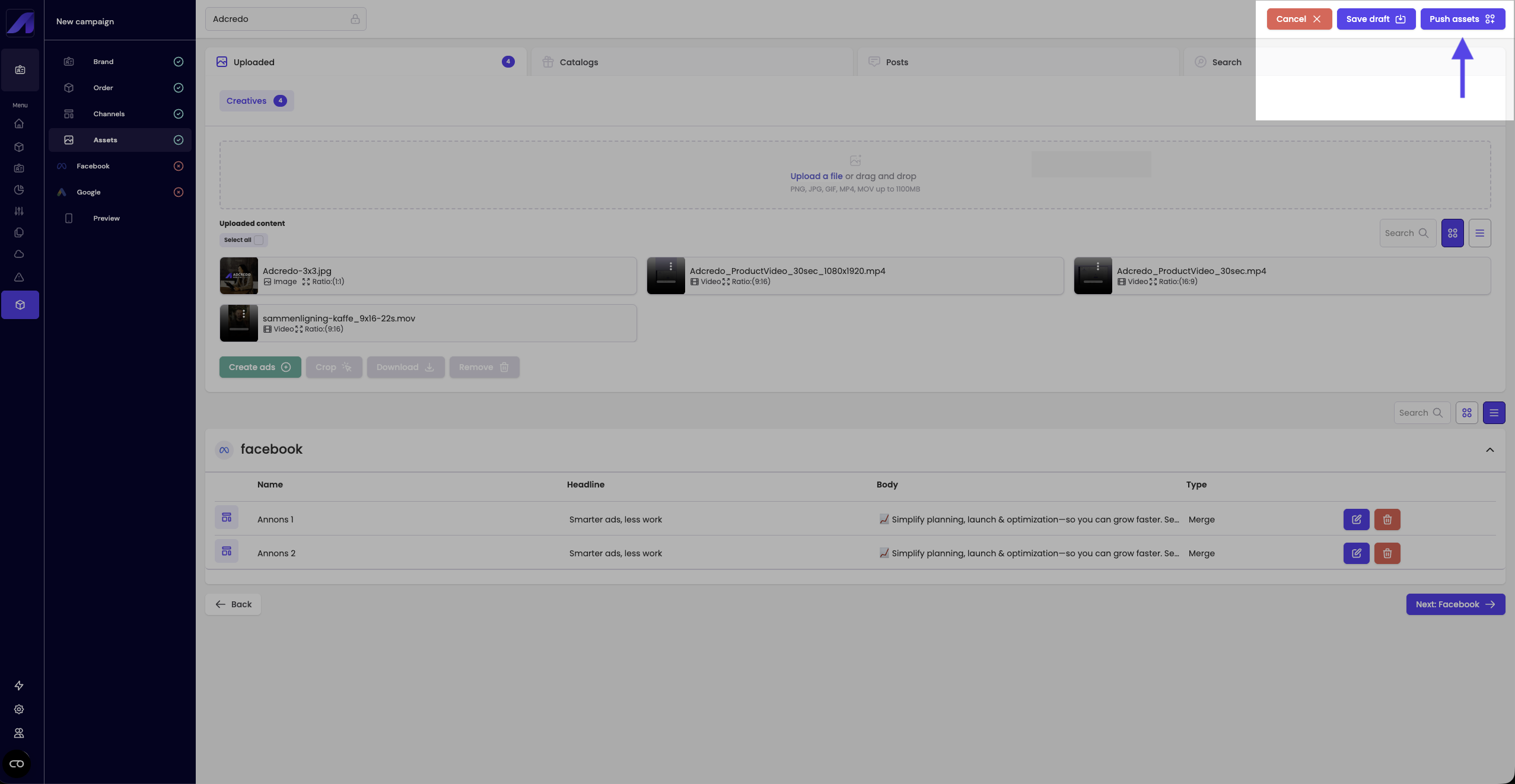
From the Assets step in the campaign builder:
- Click Push assets (top right).
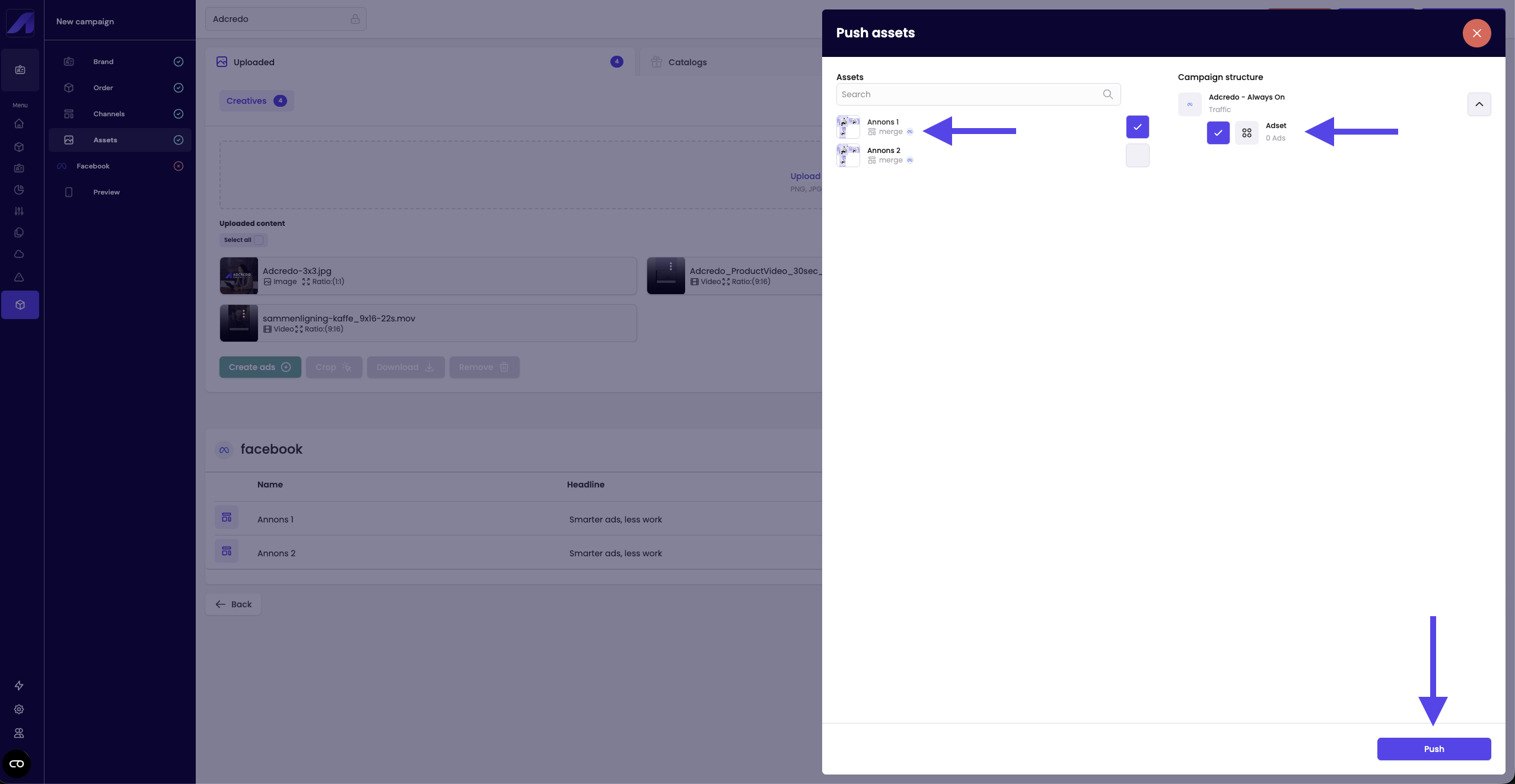
- In the slide-out:
- Left side: All created assets (ads/keywords/text ads/assets) grouped by platform.
- Right side: The campaign structure with campaigns and ad groups/ad sets.
- Left side: All created assets (ads/keywords/text ads/assets) grouped by platform.
- Select the assets you want on the left.
- On the right, select the ad groups/ad sets where these assets should be placed.
- You can only push assets to matching platforms.
- You can push the same asset to one or multiple ad groups/ad sets.
- You can only push assets to matching platforms.
- Click Push (bottom right).
- Confirm that assets now appear under the selected ad groups/ad sets in the structure.
There is no additional success popup – seeing assets in the structure is your confirmation.