![adcredo-knowledge-base-1.png]](https://support.adcredo.com/hs-fs/hubfs/adcredo-knowledge-base-1.png?width=300&height=72&name=adcredo-knowledge-base-1.png)
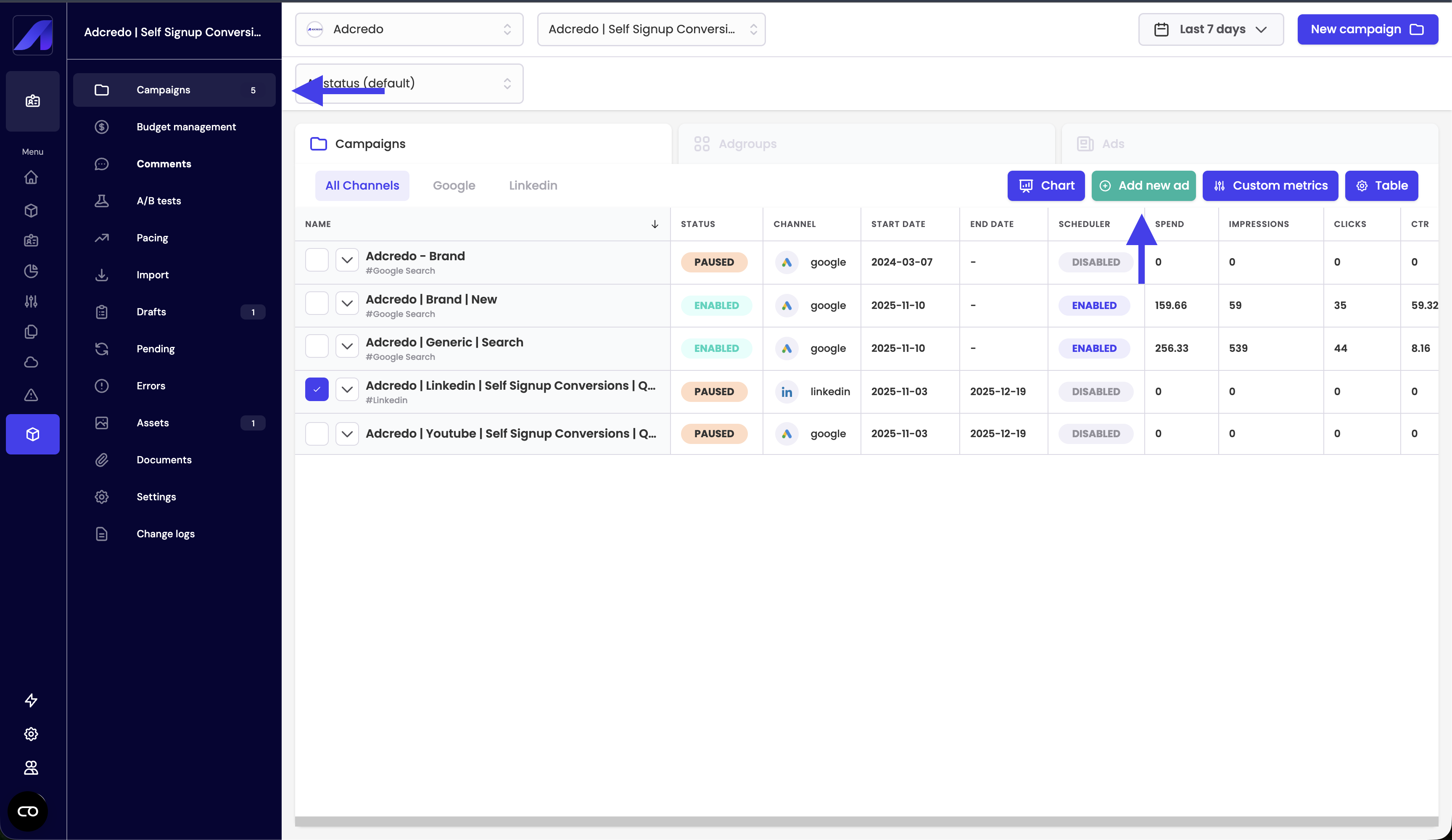
From the Campaigns view:
- Select one or more existing campaigns.
- Click Add new ad.
This opens a special update draft that:
- Shows campaign information (read-only).
- Lets you add new ad groups.
- Lets you add new ads to existing or new ad groups via the usual Assets and Ad builder steps.
- Uses the same verification and preview steps.
Differences compared to full drafts:
- Campaign settings (objective, high-level budget) are not editable here.
- In the Preview step, the button is called Publish updates instead of Create campaigns.
- The changes you publish are incremental:
- Only the new ads/ad groups are pushed.
- Existing campaigns and ads remain, unless you explicitly modify them.
- Only the new ads/ad groups are pushed.
Errors and Pending work the same way:
- The update draft can go through Pending and Error.
- Errors usually relate only to the new ads/ad groups.
You can delete this kind of draft without deleting the underlying live campaign (you’re just discarding the update attempt).