![adcredo-knowledge-base-1.png]](https://support.adcredo.com/hs-fs/hubfs/adcredo-knowledge-base-1.png?width=300&height=72&name=adcredo-knowledge-base-1.png)
If a Brand has Google Analytics 4 (GA4) connected, you can use GA4 pacing to optimise based on GA4 metrics rather than only ad spend.
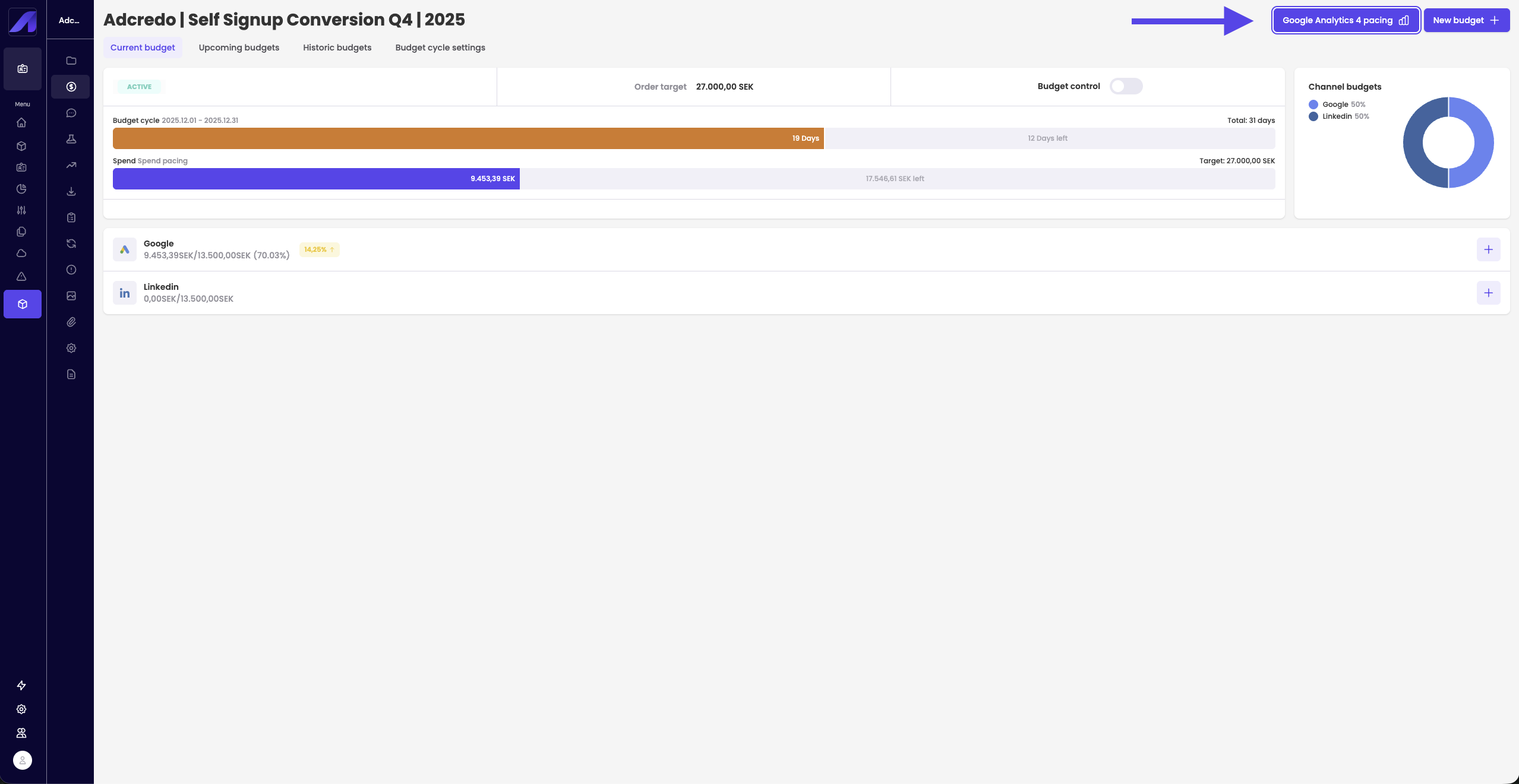
In Budget management → GA4 pacing:
- Click GA4 pacing to open the slide-out.
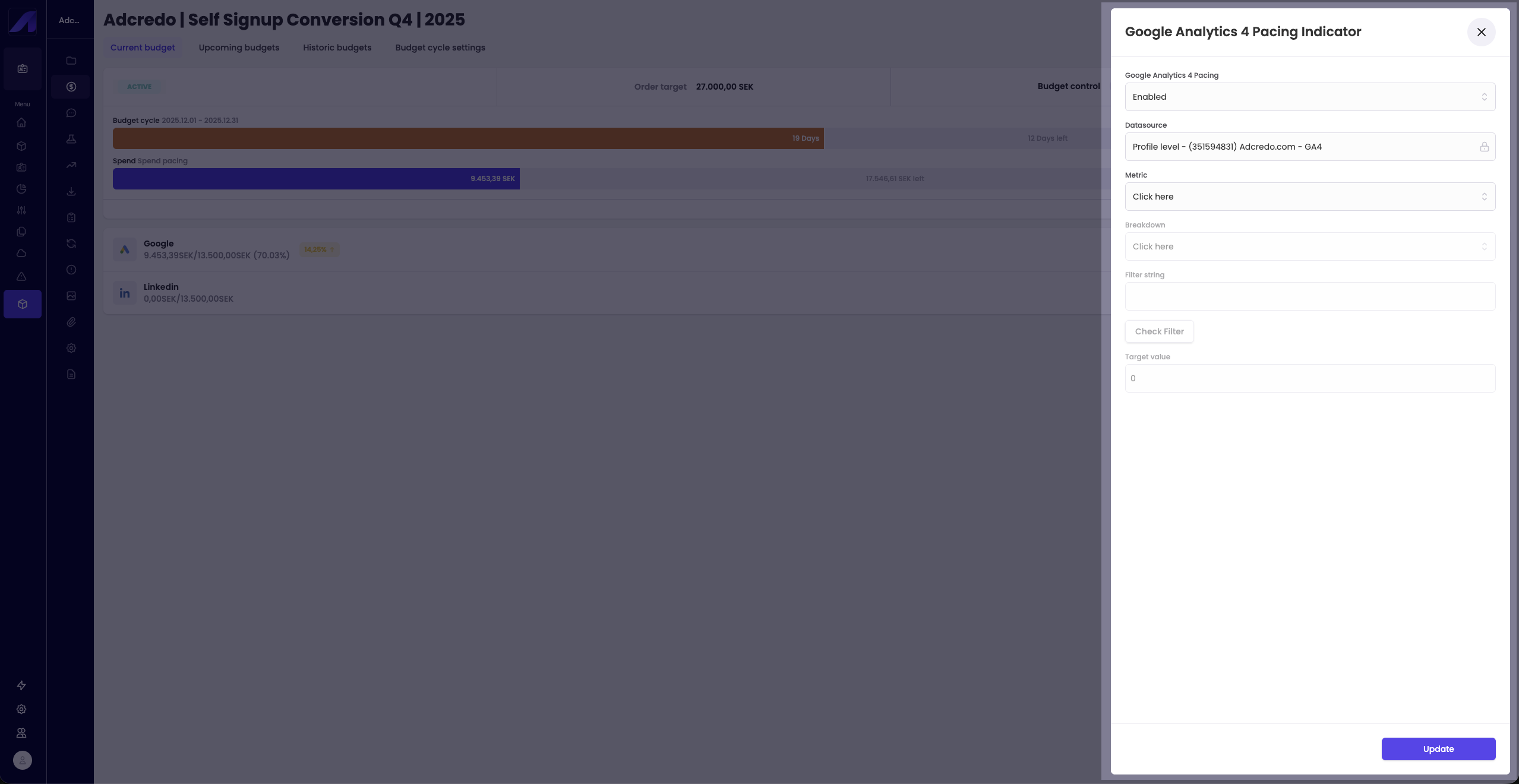
- Enable GA4 pacing.
- Select:
- Data source (GA4 property).
- Metric and breakdown you want to use as pacing goal.
- Data source (GA4 property).
- Optionally add a filter (e.g. a URL substring).
- Use the Check filter option to verify it matches the correct data.
- Use the Check filter option to verify it matches the correct data.
- Set a target value for the metric.
- Click Update.
Adcredo will then use GA4 data to adjust pacing (including pausing or adjusting campaigns) to reach the GA4 goal, regardless of the standard budget setup.