![adcredo-knowledge-base-1.png]](https://support.adcredo.com/hs-fs/hubfs/adcredo-knowledge-base-1.png?width=300&height=72&name=adcredo-knowledge-base-1.png)
After pushing assets:
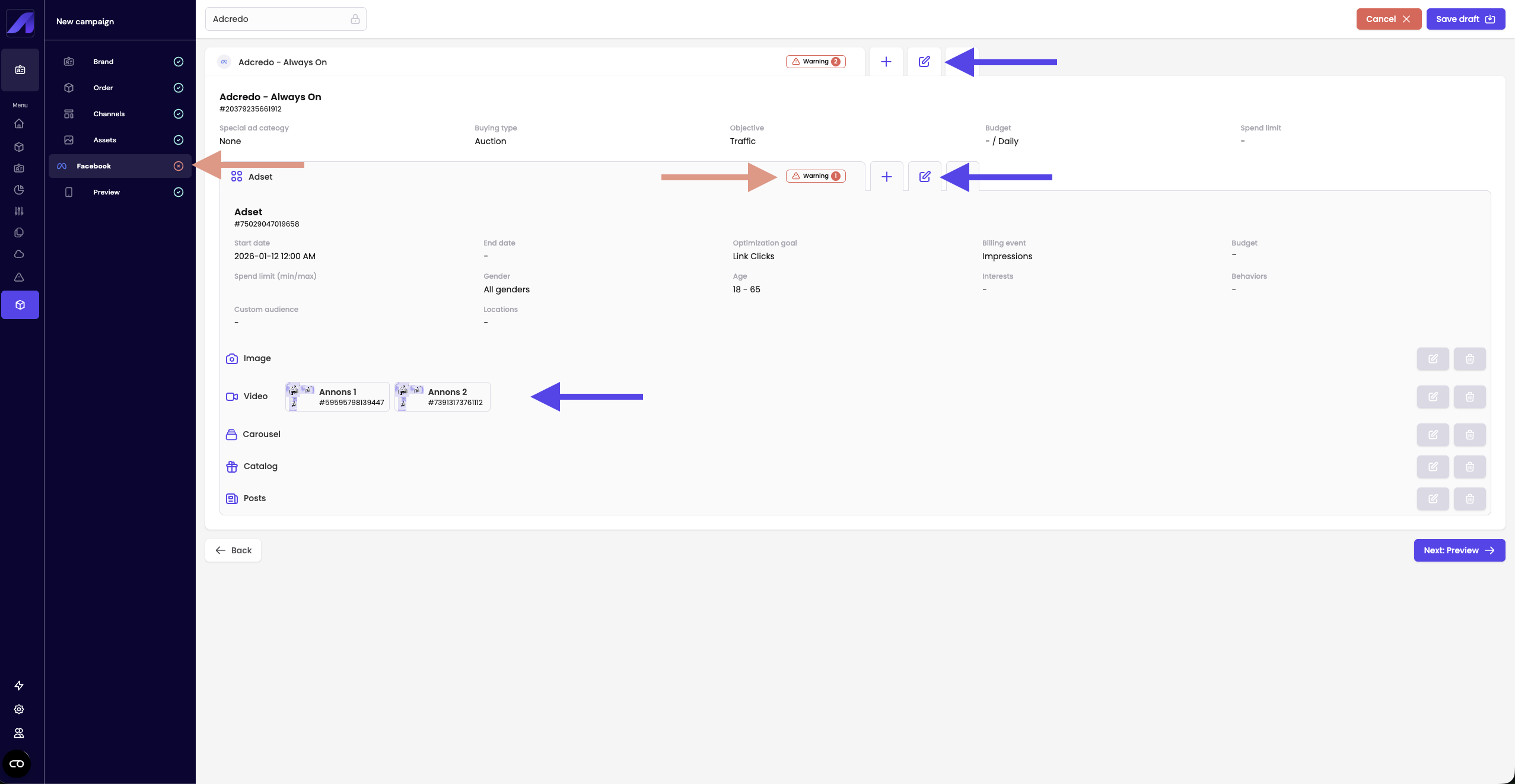
- Click Next: [Channel] in the left menu (for example Next: Facebook).
- For each channel you see:
- The campaign with its settings.
- Its ad sets/ad groups.
- The ads attached to each ad set/ad group.
- The campaign with its settings.
- Any missing or invalid settings are shown as warning triangles and messages.
You can:
- Click the edit icon next to a campaign/ad set/ad/ad group.
- Fix settings directly in the slide-out (no need to go back through the wizard).
- Save and repeat until all warnings are cleared.
When a channel is fully valid, it gets a green checkmark in the left menu.